A Simple Content Management System - SimpleCms
lufy
October 09, 2025
SimpleCMS - File Management System
Source code
A comprehensive Content Management System built with Django and Vue.js that can manage any kind of file on your disk.
Features
- File System Management: Browse, upload, download, and manage files and directories
- Access Control: Public/private file visibility and user ownership
- File Operations: Copy, move, delete, and rename files
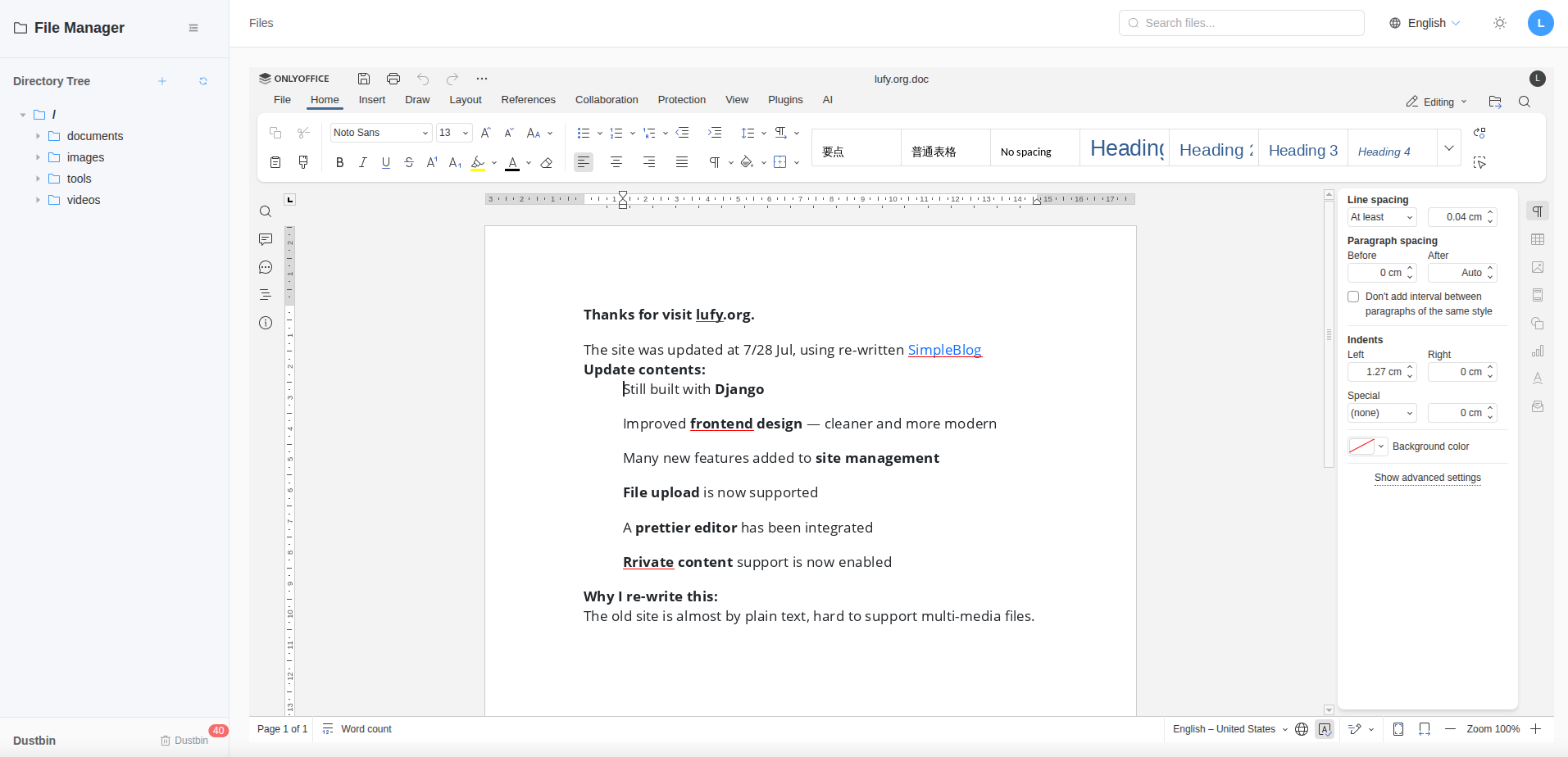
- Office integratable: Can integrate onlyoffice document-server
- Access Logging: Track file access, downloads, and modifications
- RESTful API: Full API for frontend integration
- Admin Interface: Django admin for system management
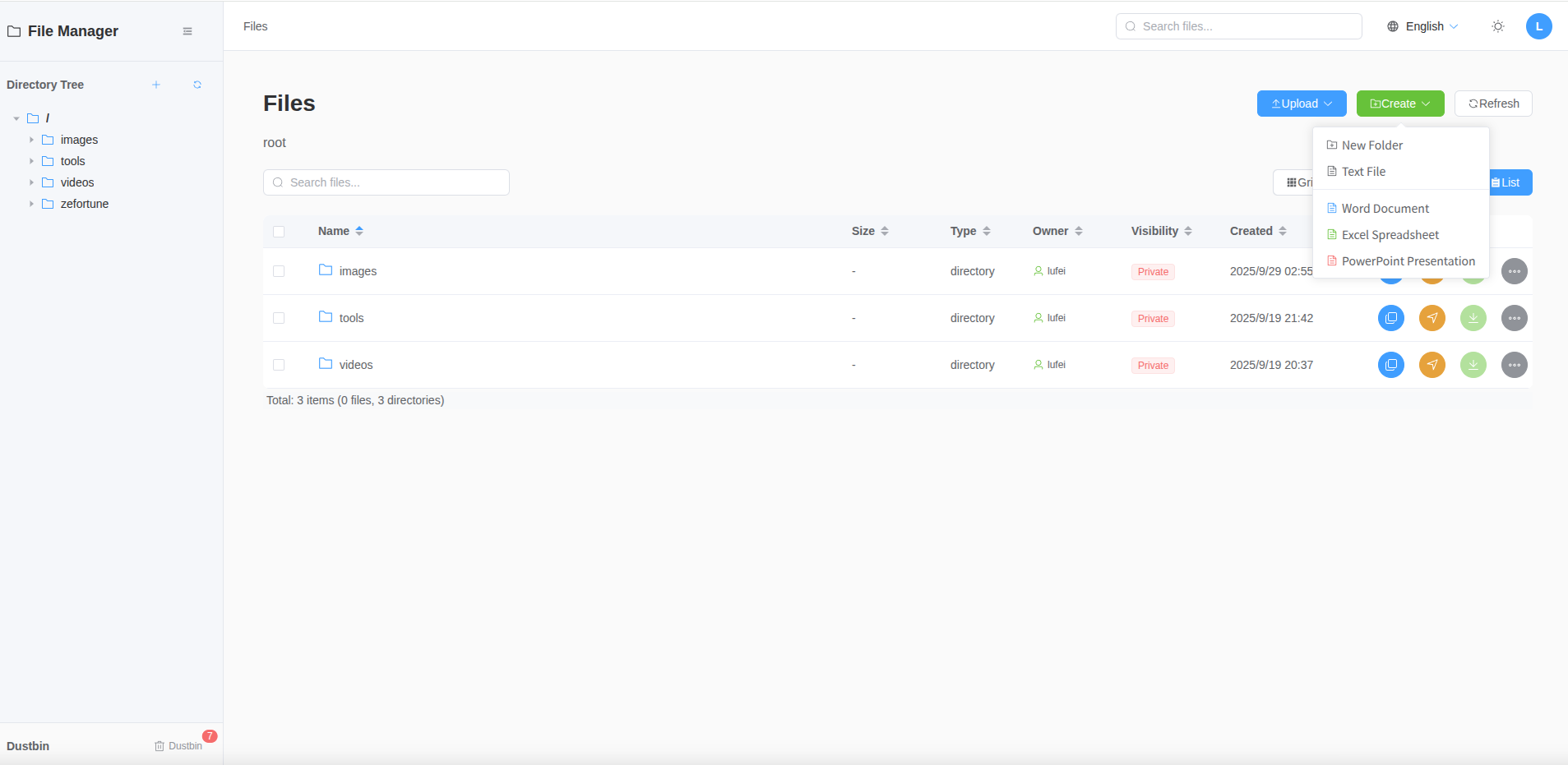
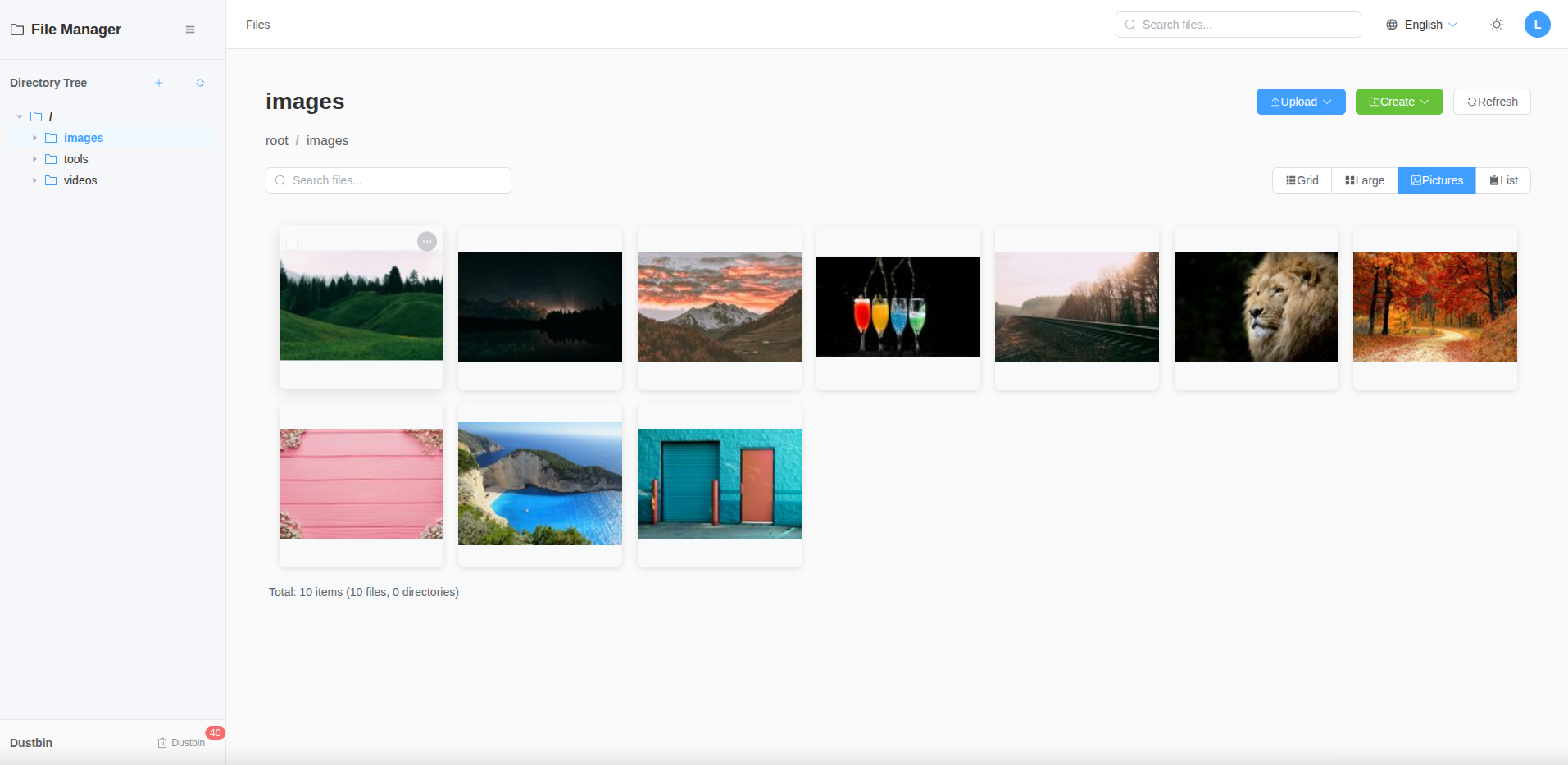
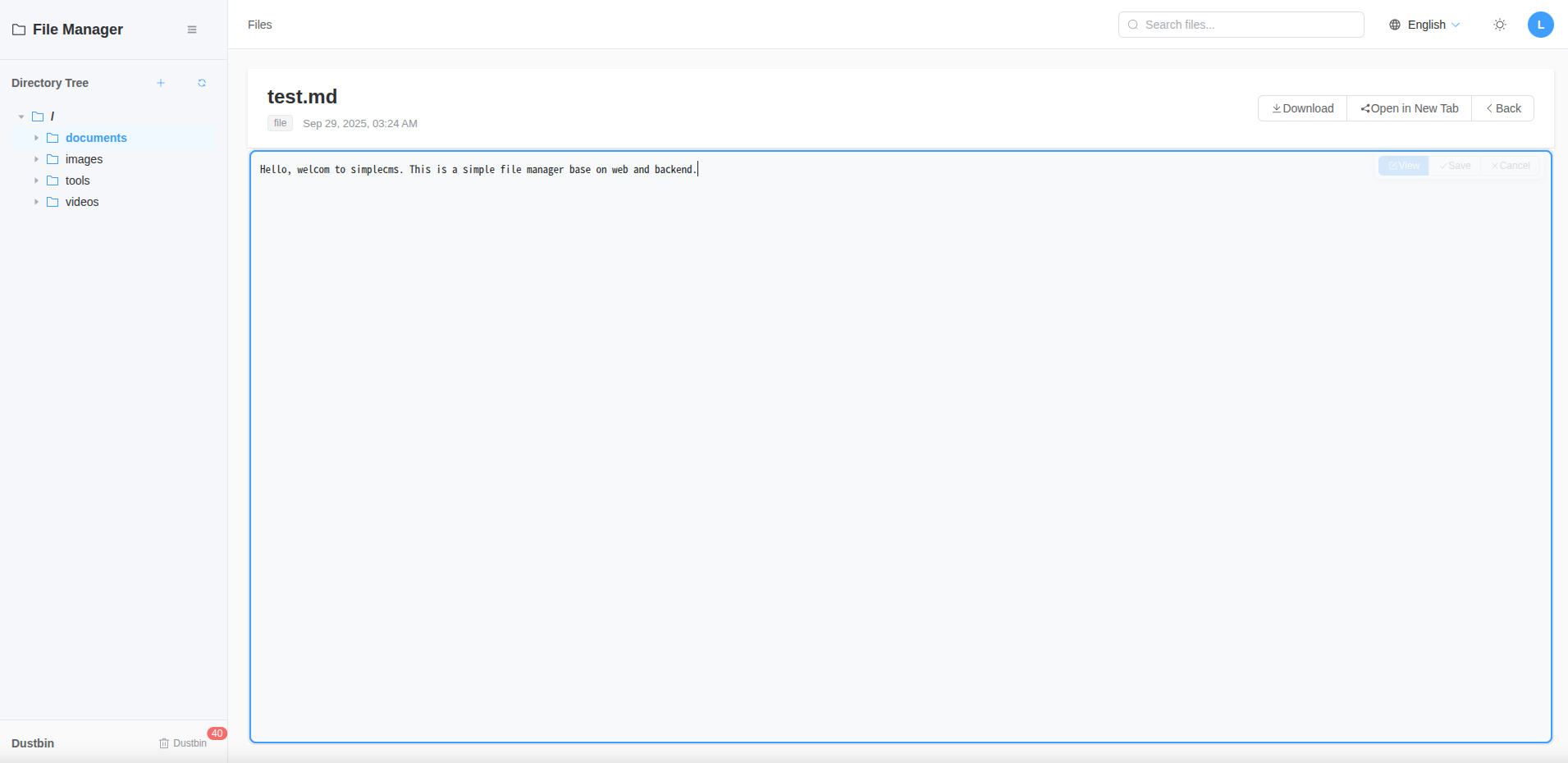
- Preview: Here are some screenshots of the SimpleCMS interface:
File List View!preview01_list.png
Picture Gallery View!preview02_pictures.png
Text File Editor!preview03_text.png
Office File Editor (need onlyoffice document-server)!preview04_word.png
Prerequisites
- Python 3.8+- Node.js 20.19.0+ (for frontend and electron)
- Virtual environment- Django 5.2+
Backend Setup
1. Activate virtual environment:```bash
source venv/bin/activate
```
2. Install dependencies:
```bash
cd backend
pip install -r requirements.txt
```
3. Run migrations:
```bash
python manage.py makemigrations
python manage.py migrate
```
4. Create superuser:
```bash
python manage.py createsuperuser
```
5. Run development server:
```bash
python manage.py runserver localhost:8000
```
Frontend
1. Build web application:```bash
cd frontend && npm install
VITE_API_BASE_URL=http://localhost:8000 npm run dev
```
2. Build electron application (optional):
```bash
cd electron && npm install
VITE_API_BASE_URL=http://localhost:8000 npm run build
```
Build and Deployment
For detailed production deployment instructions, please refer to the Deployment Guide.Usage Examples
List all files
```bashcurl -X GET "http://localhost:8000/api/files/" \
-H "Authorization: Basic $(echo -n 'admin:password' | base64)"
```
Search for files
```bash
curl -X GET "http://localhost:8000/api/files/search/?q=document" \
-H "Authorization: Basic $(echo -n 'admin:password' | base64)"
```
Get directory tree
```bashcurl -X GET "http://localhost:8000/api/files/tree/?root=/home/username" \
-H "Authorization: Basic $(echo -n 'admin:password' | base64)"
```
#
Upload a file
```bashcurl -X POST "http://localhost:8000/api/upload/" \
-H "Authorization: Basic $(echo -n 'admin:password' | base64)" \
-F "file=@/path/to/local/file.txt" \
-F "destination_path=/home/username/uploads" \
-F "tags=work,important" \
-F "is_public=false"
```
Configuration
Django Settings
The main settings are in `backend/backend/settings.py`:- - CORS: Configured for Vue.js frontend- File Upload: 100MB maximum file size- Media Files: Served from `/media/` directory- REST Framework: Pagination, authentication, and permissions
Comments (4)
Leave a Comment
doodpllgmqvuzwjfxfzvxxqmphrjrv
zkheghoisgrmmdhnmeidxvlenqsnlt
fmmluloknnmyhusrkusfxsikelylpe
feskqxkiuqymhieupqoxykdjutygod